

If you go to the customer, don’t publish a shop address.
By Madison Fine, founder of MADDS Marketing · October 19, 2026
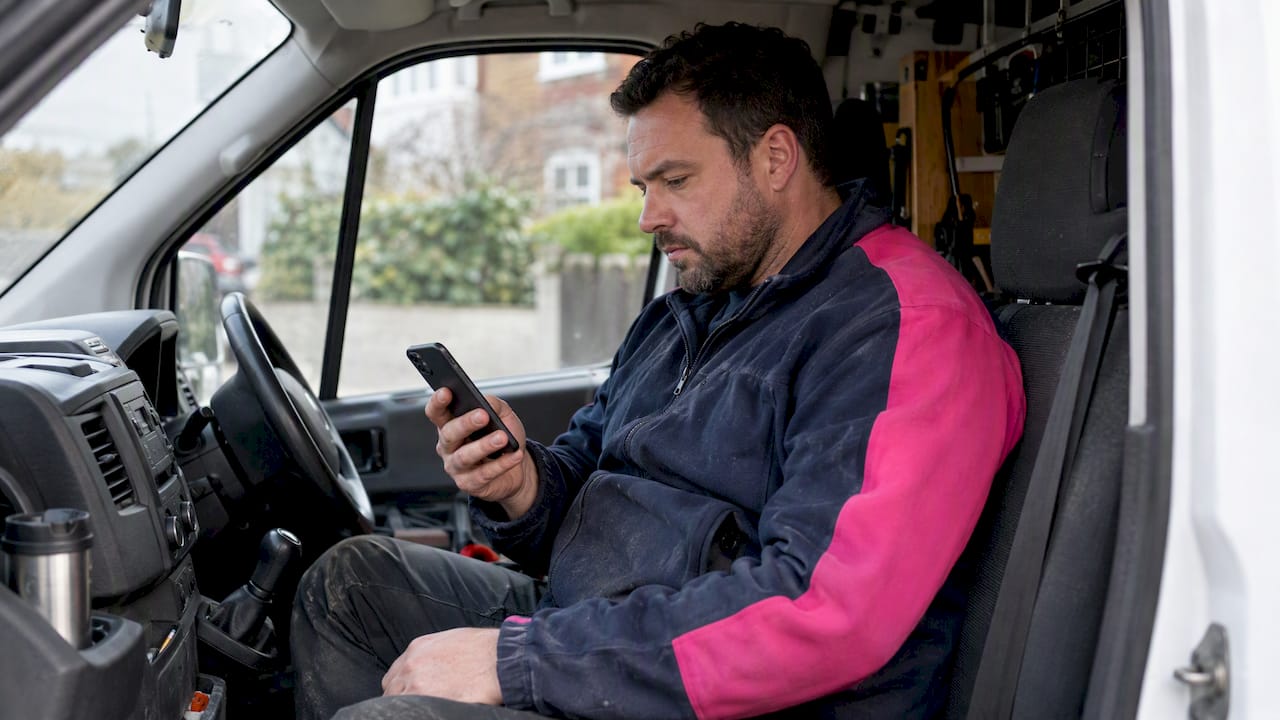
A service-area business goes to the customer, or delivers to them. A plumber. A cleaner. A mobile groomer. A landscaper. A detailer with a van. There is no counter. Google’s definition is the same: you visit or deliver, and you don’t serve people at your own address. How you set the listing decides whether a neighbor finds you or finds someone who looks more real.
This is the setup, the area, the home address, and the mistakes that get the profile pulled.
The short version
- If you only go to them, you’re a service-area business. If they also walk in, you’re a hybrid, and the address stays up.
- You pick up to 20 cities, postal codes, or regions, or one radius. You don’t mix the two.
- If customers never visit, hide the address.
- The listing, the site, and the directories have to say the same places.
- An online-only brand, or a company that only sells leads, does not get a normal service-area profile.
What counts
The test is where the work happens. At their house, office, or job site, you’re a service-area business. At a shop you staff during posted hours, you’re a storefront.
A hybrid does both. A bakery with a counter and a delivery van. A salon that also does house calls. Google’s service-area page says if you have permanent signage, or people are served at the address, you list as a storefront or a hybrid. You don’t hide a shop.
| Type | Where the work is | Address |
|---|---|---|
| Storefront | Only at your place | Shown |
| Service area | Only at theirs | Hidden |
| Hybrid | Both | Shown, plus the area |
Who does not qualify
Serving a region is not enough. Online-only brands and lead companies are not eligible for a standard service-area profile. Businesses selling age-restricted products, alcohol, cannabis, or weapons, can’t use the service-area model without a real storefront. Read Google’s eligibility rules before you create the listing.
A mailbox, a virtual office that isn’t staffed, or a friend’s front room is not an address. The guidelines say a virtual office only counts if people actually work there during business hours.
How to set it up
Half an hour if the facts are already in front of you. Legal name. Phone. Category. Hours. The places you will actually drive.
- Say no to a shop. During sign-up, Google asks if customers can visit. If you only go to them, the answer is no.
- Give the address, then hide it. Google still needs one for verification. Don’t show it to customers.
- Add the area. Cities, postal codes, or regions. Or one radius from the base. Not both.
- Pick the job, not a slogan. Plumber. House cleaning service. Then secondary categories for the work you actually do.
- Verify. Often a video. If you work from home with no sign, you hide the address and set up as a service-area business. Google has said that in its own help forum.
- Fill the rest. Services, photos of the work, hours, and a description that says what you sell.
Service-area edits can take up to 48 hours to show. Don’t rebuild the listing because it didn’t move in an afternoon.
The rules people get wrong
Managing service areas gives you two choices. Up to 20 places. Or one radius around the business. Pick one. An old radius doesn’t mean you can start stacking cities on top of it.
Be honest about the drive. The guidelines say the area shouldn’t run past about two hours from where you’re based, unless the work truly is that far. A roofer covering three nearby suburbs is believable. Twenty cities across a state looks like spam, and the customer can tell.
A mobile groomer based in Henderson, with regulars inside 25 minutes, lists Henderson, Las Vegas, North Las Vegas, and Summerlin, plus the postal codes they already work. They leave off the towns they’d turn down. A tighter list gets better jobs and fewer wasted calls.
More than one profile only works when each location is real, with its own area and its own staff. Renting a few mailboxes is not a second location.
The home address
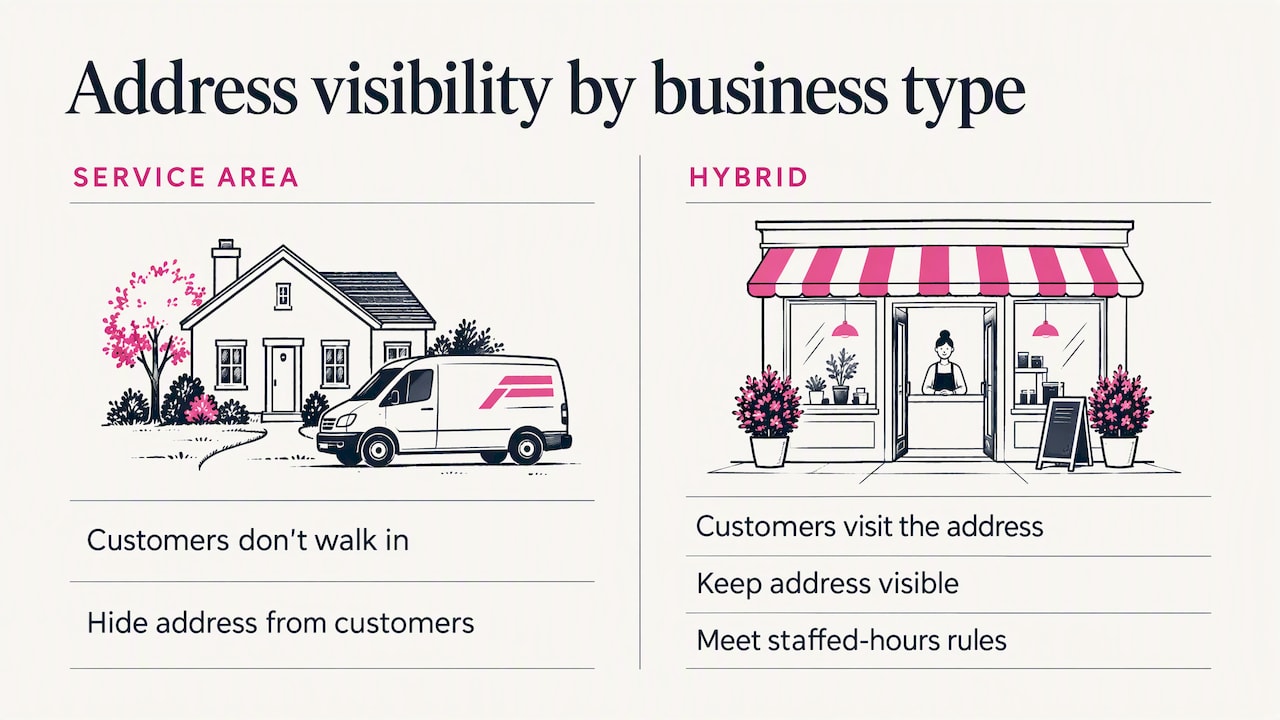
If you work from home, you do not have to publish it. Service-area businesses should hide the address. Google still has it for verification. Customers don’t. Check the setting the day you create the profile. An address on the listing is public unless you turn that off. The address help page says so.
Showing a door nobody can walk through is the mistake. People show up. The listing looks like a shop that isn’t one. That is how profiles get suspended.
If customers do come to that address, you’re a hybrid. The address stays visible, and you still need staffed hours.
Do you show up on the map?
Yes, but not with a pin the way a shop does. A hidden address does not get a storefront pin. The profile can still appear in local results for the area, once it’s verified and the details match. Google’s Business Profile page says you can define the area even without a public location.
Being closest to the hidden address is not the whole game. The category, the reviews, and a site that names the cities you serve do more than proximity.
Prove you’re real
- The name, the phone, and the cities match on the profile, the site, and the directories.
- Yelp and the BBB help confirm you exist. Yelp has its own service-area setting, and it depends on the category.
- The site says the same cities, with a real page for the work, not a list of town names stuffed into a footer.
- Ask after the job. Reply in your own words. Don’t buy reviews.
- Google’s LocalBusiness markup can include an administrative address. That is not the same as printing the home address on the public profile. If you want the house private, don’t put it on your own pages either.
What gets the profile in trouble
A stuffed name. Use the name on the truck, the invoice, and the site. “Best Cheap Plumber Las Vegas” is how you get suspended.
A fake location. Virtual offices, borrowed addresses, and a duplicate profile in every city you want to rank in.
An area you won’t drive. You get the leads you have to refuse, and the listing looks less real.
Setting it up and leaving it. New photos, real reviews, hours that match this week, and services written out.
A site that disagrees. If the site says one county and the profile says another, trust drops.
What I actually see
The owner is good at the job. The site is decent. The Google profile was made in ten minutes. Wrong category. Address showing. Three areas they don’t cover. No photos. Then the phone doesn’t ring, and the site gets the blame.
The service area is not a setting. It’s the promise of where you will show up. Make it small enough to be true. Make the site, the profile, and the directories say the same cities. Then give someone a way to hire you: a number that gets answered, a form that works on a phone, and reviews that sound like customers.
If you don’t want to guess
Google Setup is the listing: claimed, filled in, a review link, and the call or book button. Starting at $750 for one clean location. A suspended listing is quoted higher. I don’t promise page one, and I can’t force Google to verify you on my schedule.
Get Seen Sprint is $297. It’s a visibility makeover, not a new website. Growth Management starts at $1,500 a month if the profile, the site, and the posts need to keep moving after the setup. The full list is on services.
Before you hit publish
- Are you a service-area business, or actually a hybrid?
- Is the address hidden if nobody visits?
- Did you pick areas, up to 20, or one radius, not both?
- Are those places you will actually drive, inside a reasonable time?
- Does the name match the truck, the site, and the invoice?
- Are the category, hours, services, and photos filled in?
- Does the site name the cities, in real sentences?
- Do you know who you’ll ask for a review after the next job?
Questions I get
What’s an example?
Plumbers, house cleaners, locksmiths, mobile groomers, landscapers. The work happens at the customer’s place, not at yours.
Can I hide the address?
Yes. If you’re a service-area business, you should. Google still gets an address for verification. Customers don’t see it. Check it the day you create the profile.
How many areas?
Up to 20 cities, postal codes, or regions, or one radius. Not both. About two hours from the base is the guideline, unless the work really goes farther.
Do I still show on Maps?
You can show in local results once you’re verified. You don’t get a public pin on the house. Reviews, matching details, and a site that agrees with the profile are what carry it.
Sources
If this is the job, say so.
Tell me what’s missing. I’ll tell you which door it is before anyone starts.
Let’s Talk About Your Business